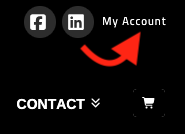
Visit the “My Account” link at the top right of the Fairfax Sportsplex website.
Enter your email and password to access your account page. You can view all your orders, change your payment method, and make other changes by clicking the tabs on the My Account page while logged in.
If you have placed an order in the past with your email address, you may have an account set up. You can still make purchases with that email anytime, even without logging in. Or, you can log in first and then make your new registration.
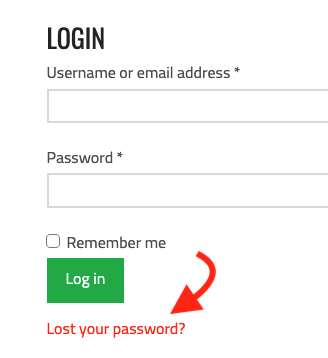
If you do not know your password, you can reset it by clicking the “Lost your password” link on the My Account page.
Enter the email address associated with your account and then click the “Reset password” button. An email will be sent to your inbox. If you do not see the email address, please check your “promo” or junk folder and mark it as safe. If no email is received, we don’t have an account listed with your email.
